
Why cleaning screens matters after every run
In cylindrical screen printing, the screen takes a fair amount of punishment. Ink dries in the mesh, stencil edges hold residue, and any leftover pigment can interfere with the next colour change. If cleaning is rushed, the next job often shows it first as weak detail, pinholes, or a dirty halo on the print area.
For bottle, cup and tube work, this is even more important because the print surface is curved and there is less room for error. A screen that is cleaned properly after each run stays open longer, pulls cleaner ink flow and gives more predictable results. That saves time on rework and reduces the chance of replacing screens too early.
Start with the right clearing steps at the machine
Before any washing starts, remove as much ink as possible from the screen and related parts while the ink is still workable. Scrape back the excess carefully, then check both sides of the mesh for build-up around the image area and the frame edges. On a busy production floor, skipping this step usually means more solvent, more scrubbing and more wear later.
A practical routine for operators is to follow the same order every time:
- Recover unused ink into a clean container
- Wipe the squeegee and flood blade before the ink sets
- Check the mesh for dried edges, especially near fine text or logos
- Remove tape or masking before it hardens
- Move the screen to the wash area without dragging it across rough surfaces
This kind of consistency helps in plants where different operators work the same shift. It also matters during load-shedding where a screen may sit longer than planned, so any ink left behind can dry quicker than expected.
Use cleaning chemicals carefully, not aggressively
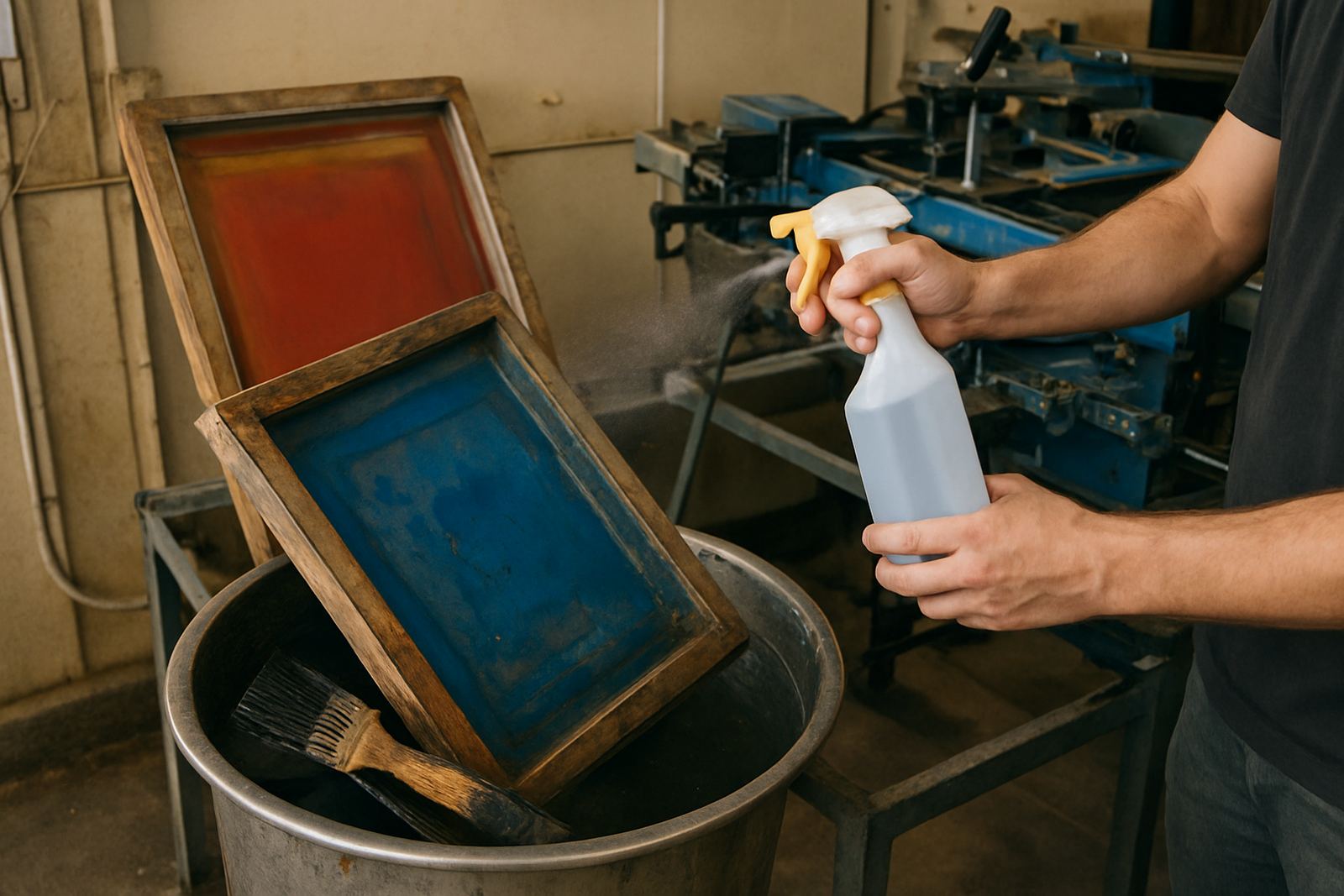
Cleaning product choice matters because mesh and stencil materials can be damaged by harsh handling. The aim is to clear ink without softening the stencil or opening the mesh too much. Apply the cleaner in the correct amount, let it work for the recommended time, then rinse properly. If the chemical is left sitting too long, it can start attacking the emulsion or leaving residue behind.
For water-based systems, warm water can help, but hot water is not always better. For solvent-based work, good ventilation is essential, especially in enclosed spaces. In Johannesburg winter air or coastal humidity in Durban and Cape Town, drying conditions change a lot, so a cleaner screen area and controlled airflow can make a real difference.
- Always test the cleaner on a small area first if you are changing products
- Use soft brushes rather than hard scrubbing pads
- Do not mix different cleaners unless the supplier confirms they are compatible
- Keep the wash area away from dust and overspray
Rinse, inspect and dry the screen properly
Once the ink and cleaner have done their job, rinsing must be thorough. Any residue left in the mesh will affect the next print, especially on fine cylindrical artwork where registration is tight. Inspect the screen under good light and look for blocked areas, pinholes, ghosting or damage around the image. A quick scan now can prevent a wasted setup later.
Drying should also be handled with care. Screens should dry flat or in a controlled rack where air can move evenly across both sides. Stacking wet screens can cause staining and can also flatten delicate mesh areas. In dusty areas around Aeroton and Johannesburg South, keep drying screens covered or in a clean room so airborne grit does not settle on the mesh.
If the screen is for urgent reuse, make sure it is fully dry before the next coat or setup. A screen that looks dry on top may still hold moisture in the frame corners, and that small mistake can delay production.
Daily habits that protect mesh and print detail
Good screen cleaning is not only about the end-of-shift wash. Small daily habits prevent bigger problems. Operators who keep tools clean and screens organised usually get longer screen life and better repeatability. Even a strong screen can start losing detail if the same corners are bent, knocked or left with dried ink for days.
A simple habit list helps the whole team stay on track:
- Label screens clearly for each job and colour
- Store cleaned screens upright or flat with support
- Keep ink containers sealed when not in use
- Record any screen damage as soon as it is found
- Check mesh tension and frame condition during routine cleaning
These habits are useful in smaller production rooms too, not just larger factories. A printer in Pretoria who handles short runs may only use a screen for a day or two, but even then cleaning discipline decides whether the screen can go back into service without issue.
A Johannesburg example from a busy bottle run
Consider a small production run in Aeroton for drink bottles supplied to a promotional event. The job uses two colours and the client wants consistent print on a batch that must move the next morning. If the first screen is cleaned properly between colours, the second setup goes faster and the overlap stays neat. If not, dried ink in the mesh can force extra stoppages and the operator ends up chasing print faults instead of finishing the run.
That is where a proper routine saves money. It reduces waste, keeps the screen usable for future orders and cuts down on breakdown calls that could have been avoided. For businesses working near tight deadlines or dealing with coastal humidity, a few extra minutes on cleaning can make the difference between a clean handover and a reprint job. Simple, but it works.
When cleaning is no longer enough
There comes a point where a screen is no longer worth trying to rescue. If the mesh is damaged, the stencil has started breaking down, or dried deposits remain after proper washing, the screen may need reclaiming rather than more scrubbing. Trying to force another job through can damage print quality and put extra strain on the operator.
If screens are failing often, it is worth reviewing the full process from ink choice to drying and storage. Poor setup, rushed washing, or incorrect reclaiming chemicals all shorten screen life. A practical maintenance plan, with clear roles for operators and service staff, keeps the system running better and helps each screen last as long as it should.